Car model and year: Audi A4
Purpose:
Trying to get a feeler for those of us running around with "non-OEM" acoustic glass (or whatever it is) for the front windshield.
How to replace Audi A4 non-OEM style windshield?
aftermarket FYG is okay
Order Stock Part Number My Price
Yes FW02301 GYY FYG $45.69
Stock Part Number Source Warehouse My Price
Call FW02301P GYY SEK $71.75
The difference between the 2 you can. Most of the time the FYG brand the retainer is for the cowl is hanging off the glass. The Sekurit which is oem doesn't have this issue & the clarity is way better. FYG are known for distortions. btw I own an auto glass replacement biz & do installations for over 25 years. If I had the choice it will be a Sekuirt all day for me.
Just make sure to watch the process. I wouldn’t trust or allow anyone to use a pull knife or long blade on my car. They should be using what’s called a fiber line to remove your glass and protected scrapers to remove the glue. This is to prevent damage to the body of your car. A lot of companies don’t and leave scratches that cause rust over time.
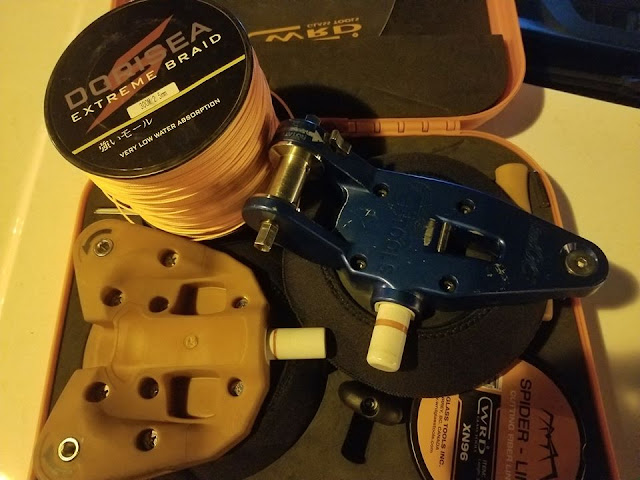
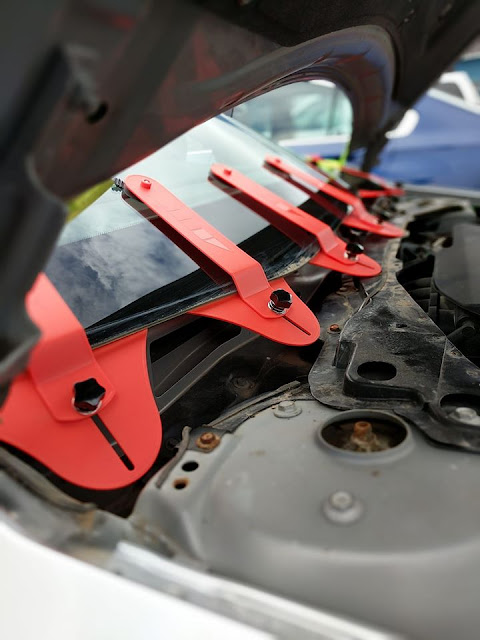
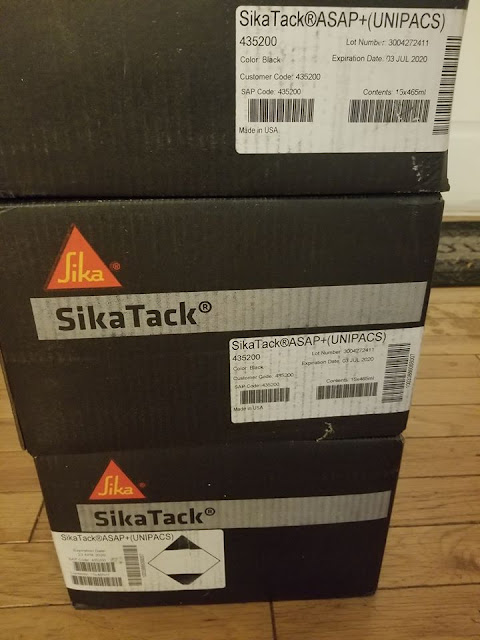
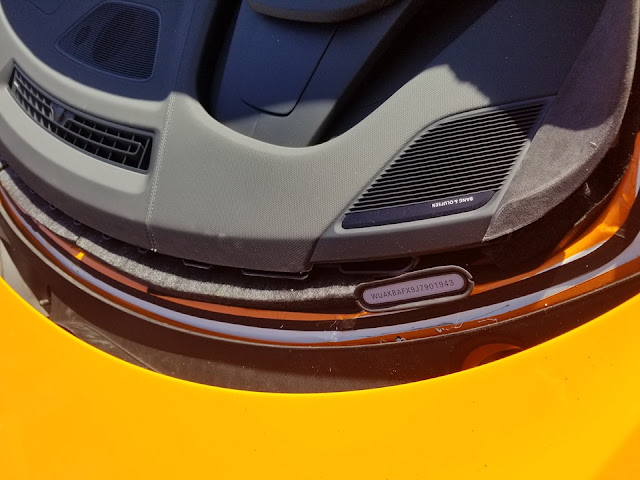
here are some of the tools that should be used with a removal process. Every glass company or individual should have these tools. The last pictures are from a 2019 Audi R8 that I did with these tools. Urethane that is used to secure a windshield in is also important. They should be using a high module quality urethane to not flex as much as regular urethane. This aids with stability under harder handling conditions. I use SIKA ASAP+ myself. The urethane has to be heated to achieve a quick set up. It has a sdat of 30-minute drive away.


2. How to Calibrate Audi A4 non-OEM style windshield?
Most heads up display also has the ldws camera. I would not recommend fyg glass for that vehicle because of the hud area is fuzzy after the installation & the camera bracket is not oem style & have issue's being calibrated. Audi dealers around here will not even calibrate then unless its oem dealer glass. I use an AUTEL MaxiSys MS908P system to calibrate them when I do the installations. I always recommend oem dealer glass.
Audi Q7 2017 4 Door Utility
Not guaranteed to be a 100% complete listing. Click on a part number for availability.
Part Number Description
FW04144 17- Audi Q7-4D U(Encp, Slr, Acstc Intrlyr, Rn Snsr)**SEK=OE**
FW04145 (4M0845099ANVB) 17- Audi Q7-4D U(Slr, Acstc Intrlyr, LDWS, Rn Snsr)
FW04383 (4M0845099BNVB) 17- Audi Q7-4D Utility(Encap, HUD, Slr, Acstic Intrlyr, LDWS, Rn Snsr)
FW04384 (4M0845099FNVB) 17- Audi A7-4D U(Encp, Acstc Intrlyr, LDWS, Slr Ctd, Rn Snsr)
FW04385 (4M0845099GNVB) 17- Audi Q7-4D U(Encp, HUD, Acstc Intrlyr, LDWS, Slr Ctd, Rn Snsr)
FW04386 17- Audi Q7-4D U(Encp, Slr, LDWS, Fully Htd, Acstc Infrared Intrlyr, Rn Snsr)
FW04387 17- Audi Q7-4D U(Encp, HUD, Slr, LDWS, Fully Htd, Acstc Infrared Intrlyr, Rn Snsr)

www.obd2shop.co.uk
Purpose:
Trying to get a feeler for those of us running around with "non-OEM" acoustic glass (or whatever it is) for the front windshield.
How to replace Audi A4 non-OEM style windshield?
aftermarket FYG is okay
Order Stock Part Number My Price
Yes FW02301 GYY FYG $45.69
Stock Part Number Source Warehouse My Price
Call FW02301P GYY SEK $71.75
The difference between the 2 you can. Most of the time the FYG brand the retainer is for the cowl is hanging off the glass. The Sekurit which is oem doesn't have this issue & the clarity is way better. FYG are known for distortions. btw I own an auto glass replacement biz & do installations for over 25 years. If I had the choice it will be a Sekuirt all day for me.
Just make sure to watch the process. I wouldn’t trust or allow anyone to use a pull knife or long blade on my car. They should be using what’s called a fiber line to remove your glass and protected scrapers to remove the glue. This is to prevent damage to the body of your car. A lot of companies don’t and leave scratches that cause rust over time.
here are some of the tools that should be used with a removal process. Every glass company or individual should have these tools. The last pictures are from a 2019 Audi R8 that I did with these tools. Urethane that is used to secure a windshield in is also important. They should be using a high module quality urethane to not flex as much as regular urethane. This aids with stability under harder handling conditions. I use SIKA ASAP+ myself. The urethane has to be heated to achieve a quick set up. It has a sdat of 30-minute drive away.


2. How to Calibrate Audi A4 non-OEM style windshield?
Most heads up display also has the ldws camera. I would not recommend fyg glass for that vehicle because of the hud area is fuzzy after the installation & the camera bracket is not oem style & have issue's being calibrated. Audi dealers around here will not even calibrate then unless its oem dealer glass. I use an AUTEL MaxiSys MS908P system to calibrate them when I do the installations. I always recommend oem dealer glass.
Audi Q7 2017 4 Door Utility
Not guaranteed to be a 100% complete listing. Click on a part number for availability.
Part Number Description
FW04144 17- Audi Q7-4D U(Encp, Slr, Acstc Intrlyr, Rn Snsr)**SEK=OE**
FW04145 (4M0845099ANVB) 17- Audi Q7-4D U(Slr, Acstc Intrlyr, LDWS, Rn Snsr)
FW04383 (4M0845099BNVB) 17- Audi Q7-4D Utility(Encap, HUD, Slr, Acstic Intrlyr, LDWS, Rn Snsr)
FW04384 (4M0845099FNVB) 17- Audi A7-4D U(Encp, Acstc Intrlyr, LDWS, Slr Ctd, Rn Snsr)
FW04385 (4M0845099GNVB) 17- Audi Q7-4D U(Encp, HUD, Acstc Intrlyr, LDWS, Slr Ctd, Rn Snsr)
FW04386 17- Audi Q7-4D U(Encp, Slr, LDWS, Fully Htd, Acstc Infrared Intrlyr, Rn Snsr)
FW04387 17- Audi Q7-4D U(Encp, HUD, Slr, LDWS, Fully Htd, Acstc Infrared Intrlyr, Rn Snsr)

www.obd2shop.co.uk
Comments
Post a Comment